Remove tracking junk from links.
URLStrip strips known tracking parameters before you open a link, save it, or send it to someone else. On desktop, Command Guard can also warn when copied terminal commands look risky. It runs locally, supports iOS/iPadOS, macOS, and Windows, and is free to use.
Clean a URL Online Download URLStrip
A normal link often arrives with extra tracking parameters attached to it. URLStrip removes the known junk and keeps the destination intact.
Before:
https://example.com/article?utm_source=newsletter&utm_medium=email&fbclid=IwAR123&gclid=abc123
After:
https://example.com/article
Same destination. Less junk attached to it.
A lot of links carry extra baggage.
Copy a link from email, a search result, or social media, and there is a good chance it has extra tracking glued onto the end. Some of it measures campaigns, some of it identifies clicks. Some of it can even tie the link back to a person, browser, or session.
- Campaign tags — parameters like
utm_sourceandutm_campaignthat tell marketing systems where a click came from. - Click identifiers — values like
fbclidandgclidadded by major platforms to follow clicks across systems. - Other tracking codes — junk added by analytics, email, affiliate, and marketing systems.
The result is a cleaner link with less junk and less tracking attached to it. Want the deeper version? Read how URLStrip classifies tracking.
Clean links without breaking them.
URLStrip checks a link for known tracking parameters and strips out what doesn't need to be there. It keeps the parts the destination actually needs, including normal paths and parameters that control content or state.
What URLStrip removes:
- Common tracking parameters like
utm_* - Many click IDs and redirect wrappers
- Known junk added by advertising, analytics, and email systems
What URLStrip keeps:
- Normal paths and destination URLs
- Functional parameters needed for content or state
- The parts of the link that still need to work
Command Guard for desktop
URLStrip can warn when copied terminal commands match risky patterns such as
curl | sh, PowerShell irm | iex, encoded payloads, persistence commands,
or destructive shell actions. It is local, rules-based, and transparent about
what triggered the warning. An optional neutralize setting can make risky
commands inert before paste, but it is off by default.
Privacy-friendly viewers for desktop
For supported public X/Twitter links, choose Off, a compatible Nitter service from the signed Privacy Services catalog, or experimental TwitterViewer. The choice is explicit and defaults to Off. URLStrip fails closed when the selected service is unavailable or the link shape is unsupported. It never silently switches to another service.
Simple on purpose.
URLStrip is built to stay out of the way. On desktop, it fits into normal copy-and-paste use instead of asking you to route links through some service. The cleanup happens locally and the result is a cleaner link you can keep using normally.
- Install it. Install URLStrip for your platform and leave it there.
- Use links normally. Copy, paste, or share a link the same way you already do.
- Clean locally. URLStrip removes known tracking junk on the device itself.
- Keep moving. Open it, save it, or send it without dragging the junk along.
Some parameters are intentionally kept because they control content, preserve state, or are required for the destination to work.
Opaque Instagram and Threads /share/... links are a special case because the destination is not present in the link itself. On supported surfaces, URLStrip can offer a separate, clearly labeled network action to recover the canonical post URL. Normal cleaning stays local. Network resolution runs only after you request it or explicitly enable automatic resolution in Settings, which is off by default.
Want to try it without installing anything? Use the browser-based URL cleaner. Your pasted URL is processed locally and is not sent to Tacita Labs.
The privacy model is simple.
- Runs locally. URLStrip cleans links on your device instead of routing them through someone else's cloud service.
- No account required. There is no login, subscription wall, or account setup just to clean a link.
- Rules-based approach. URLStrip is grounded in the ClearURLs ruleset and extended with maintained additions where they improve real-world results. Read how URLStrip classifies tracking.
- Built with relevant experience. Tacita Labs is building privacy tools with a practical, local-first bias shaped by years of security and privacy work.
Free to download and use.
URLStrip for iOS and iPadOS is available on the App Store. The TestFlight beta remains available for people who want the newest builds before they reach the public release. Current desktop releases are available here and mirrored in the public URLStrip release repository, with published SHA-256 hashes so people can verify the integrity of what they've downloaded.
iOS / iPadOS - App Store
Get the public URLStrip release from the App Store. TestFlight stays open for beta testers who want the newest builds.
macOS - Universal (Apple Silicon + Intel)
Download URLStrip 1.4.0 (Build 30) for macOS
SHA-256: 5b7831c06d04a02a1a02729e8f90b9f3e081a8b4898df1fcf2e5a6b73ac0113b
Verify: shasum -a 256 URLStrip-1.4.0-Build30-macOS-universal.dmg
Developer ID signed, Apple notarized, and stapled. Build 30 cleans supported URLs inside multi-line clipboard text while preserving the surrounding content, and adds signed rule-feed verification plus visible update status. Includes Command Guard and an optional macOS command-line tool. Read the Build 30 release notes.
Windows - x64
Download URLStrip 1.4.0 (Build 30) for Windows
SHA-256: 77ac47e1f61a6b33d780b2a4f695fa99108be3759c72b5ca5bbeac77493a3182
Verify: certutil -hashfile URLStrip-1.4.0-Build30-windows-x64-setup.exe sha256
Azure Trusted Signing verified. Build 30 adds generalized clipboard text cleaning, signed rule-feed verification, and visible update status while preserving strict, fail-closed network resolution and privacy redirects.
Checksums: URLStrip 1.4.0 Build 30 SHA256SUMS
A real look at the app.
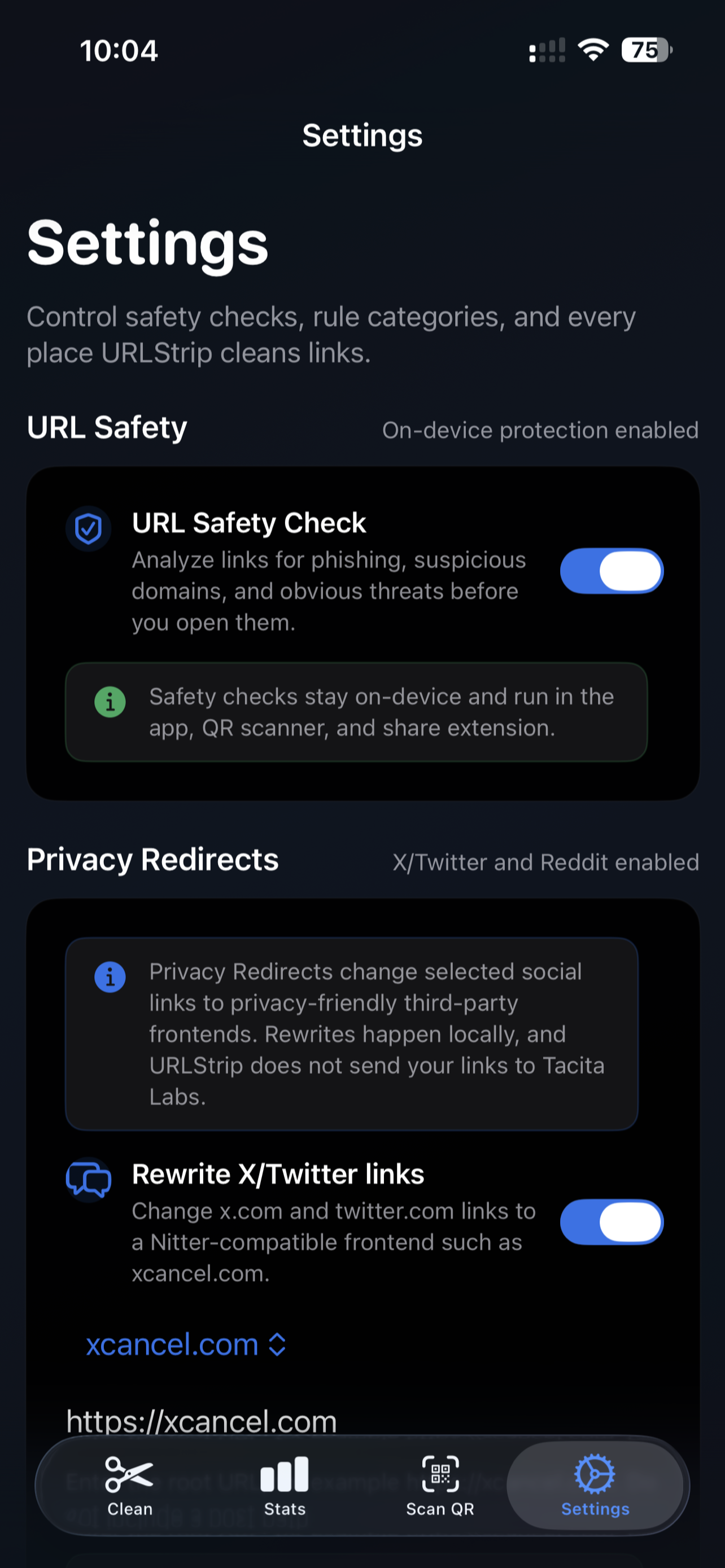
Real screenshots. No invented UI, no glossy mockups. Desktop stays lightweight and out of the way. iPhone makes cleanup, controls, and visibility easier.
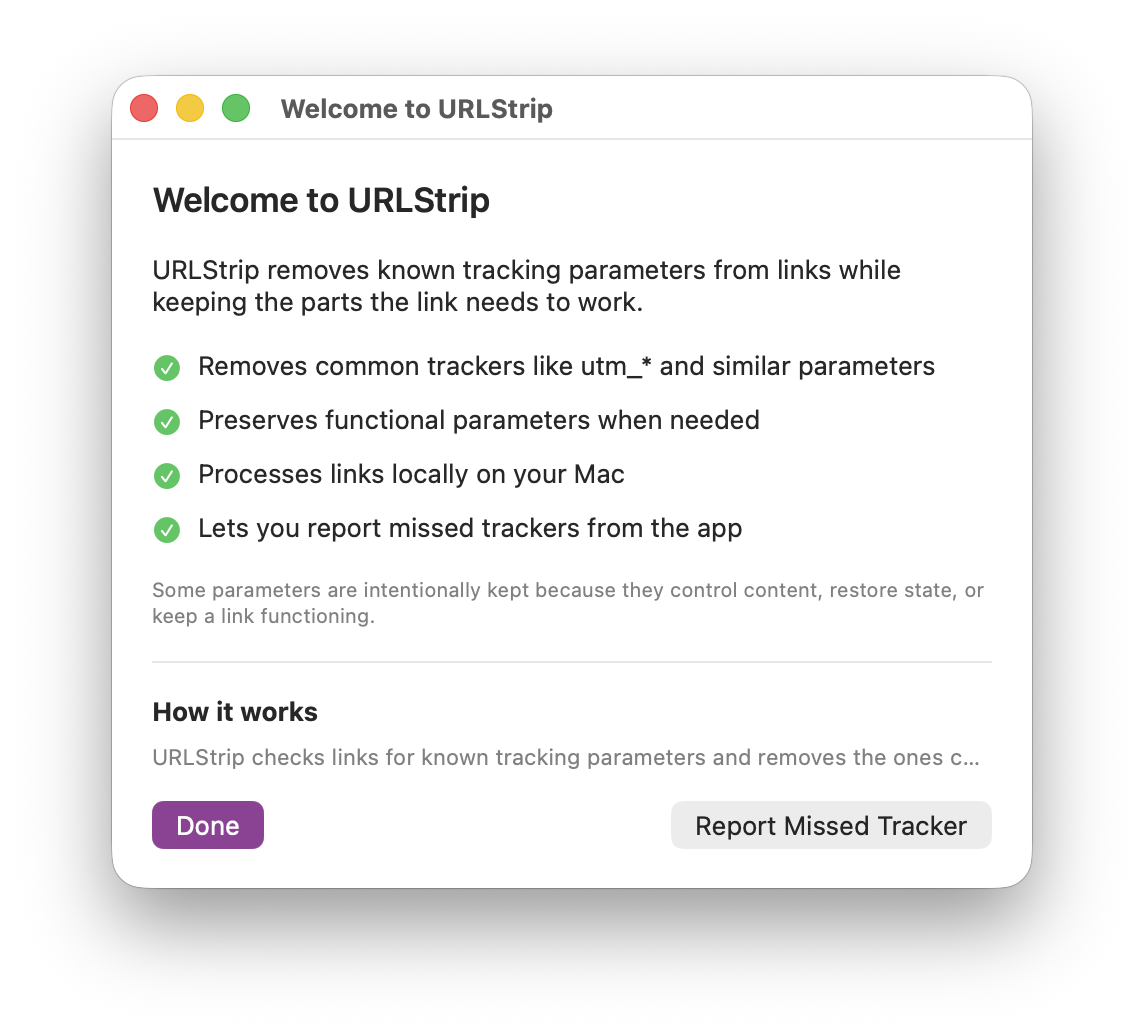 macOS onboarding and first-run explanation.
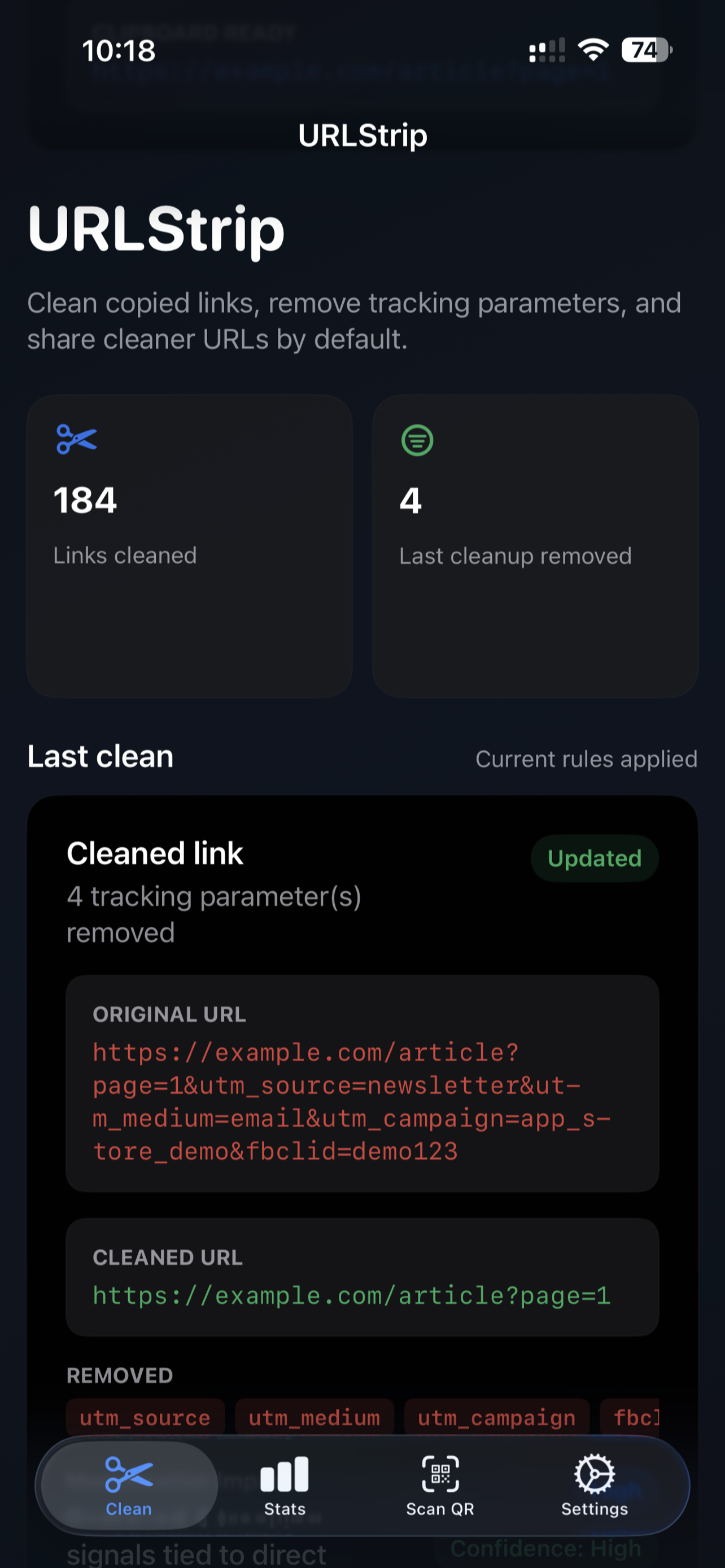 iPhone home view from the App Store release.
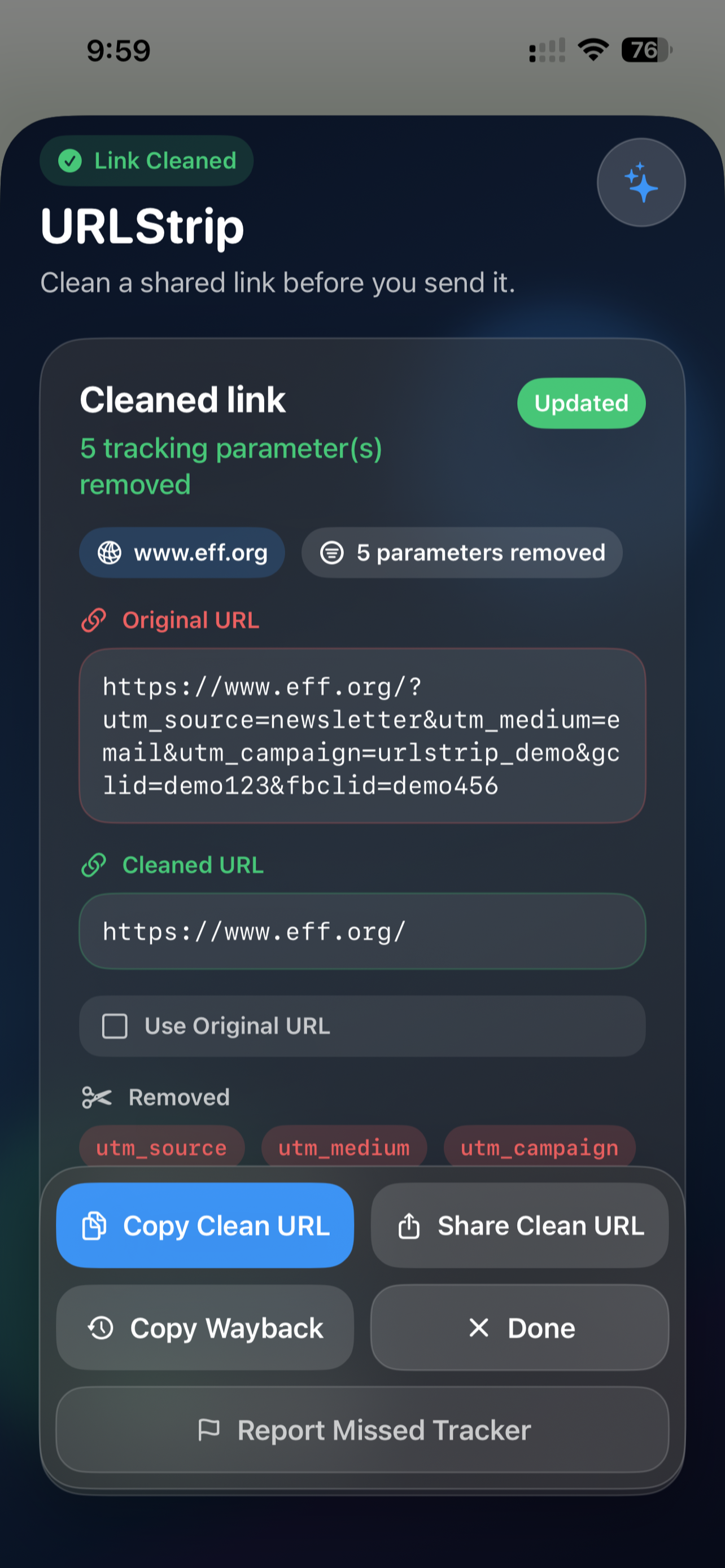
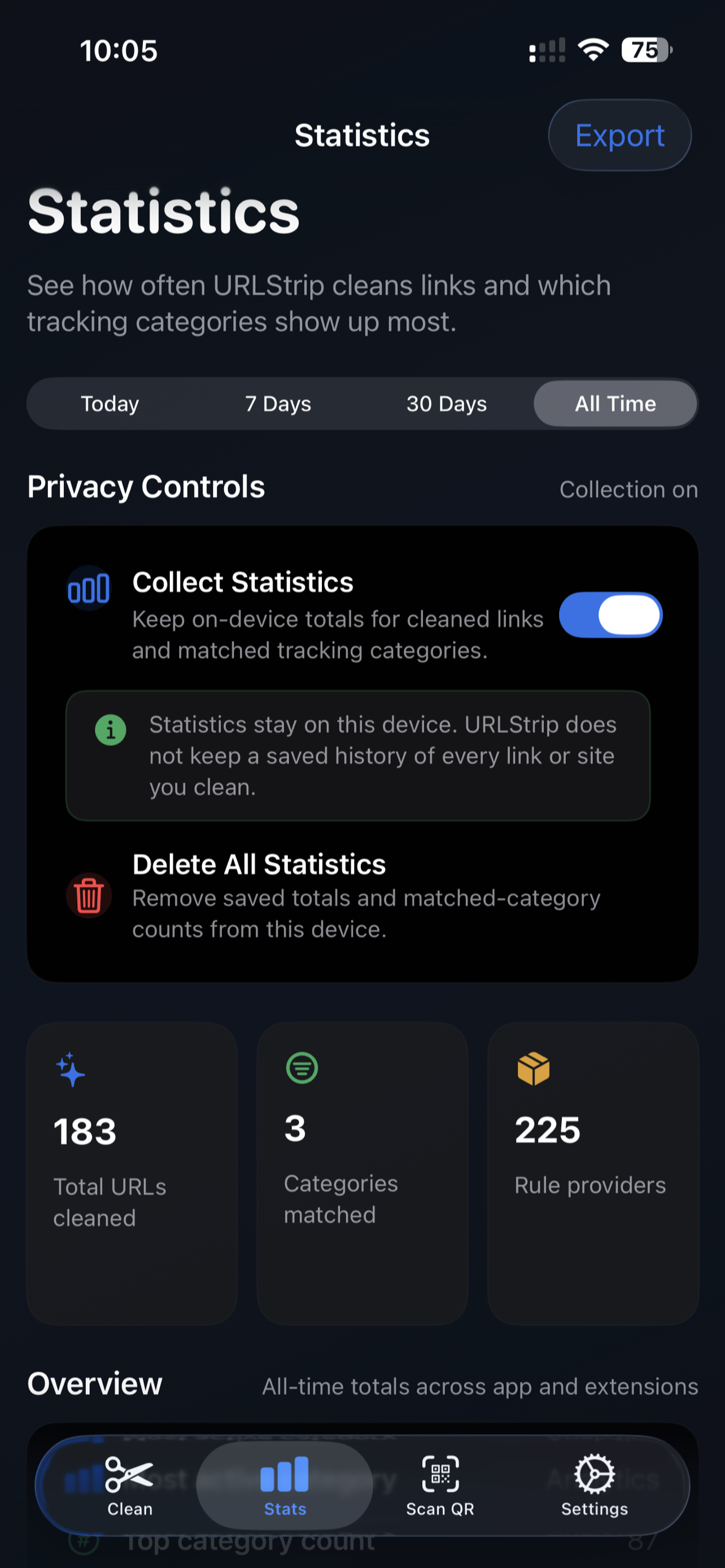
Short answers to obvious questions.
Does URLStrip send my links anywhere?
Normal URL cleaning stays on your device. If you explicitly use a privacy-friendly viewer or network-resolution feature, URLStrip contacts that selected service. Static update checks contact Tacita Labs but do not include the URL being cleaned.
Do I need an account?
No. Download it, install it, and use it.
Will it break links?
It is designed to remove known tracking junk while preserving the parts a link needs to work. Some parameters are intentionally kept when they affect content or function.
Why does iOS ask before pasting?
That prompt is an iOS privacy control, not a URLStrip setting. Apple requires apps to ask before reading the clipboard so you can decide when an app is allowed to access copied content. URLStrip cannot disable it, so expect to approve paste access when iOS asks.
How do I report a missed parameter?
On iOS and iPadOS, URLStrip links to the FAQ instead of generating an in-app email report, mailto report, or shareable report body. On macOS and Windows, use the built-in report flow where available. Either way, the reporting details live in the missed-parameter FAQ.
Where do the rules come from?
URLStrip is grounded in the upstream ClearURLs ruleset and extended with additional maintained coverage where that improves practical results.
Beta testing URLStrip?
See the URLStrip beta testing guide for what to try and what to report.
Need the full FAQ?
See the URLStrip FAQ for privacy, link safety, and missed-parameter reporting details.
Contact
For product questions, feedback, or general inquiries, reach out at hello@tacitalabs.com or follow Tacita Labs on X. Curious who builds URLStrip? See About Tacita Labs.