Remove yourself from data brokers — without giving your data to one more company.
Infobreaker runs on your computer. It scans supported broker sites, guides removal requests, and re-checks later — counting a removal only with proof. Your profile stays in an encrypted local vault. Information goes directly to broker sites only when you scan or submit a request. Tacita Labs holds no account or cloud copy of your profile.
Learn more about Infobreaker Download the beta
Free to use for non-commercial use.
Remove tracking junk from links.
URLStrip strips known tracking parameters before you open a link, save it, or send it to someone else. On desktop, Command Guard can also warn when copied terminal commands look risky. It runs locally, supports iOS/iPadOS, macOS, and Windows, and is free to use.
Learn more about URLStrip Clean a URL Online
Free to download and use, with the web cleaner available right in your browser.
Two tools. One bias: your data stays yours.
Too many privacy products solve one problem by creating another — an account, a dashboard, one more company holding a copy of your information. Tacita Labs builds tools that work locally on your device, and the rule behind both of them is simple: if the tool cannot prove something, it does not claim it.
Practical, verifiable, local.
Infobreaker — scan, review, remove, verify.
- Scan supported broker sites for listings that may match your profile.
- Review the matches yourself, so wrong people never get auto-submitted.
- Remove confirmed listings through each broker's own opt-out flow — automatically where that is reliable, guided where the broker requires a human step.
- Verify later with re-checks, because removals take time and brokers re-list people.
How Infobreaker works, in detail · Broker-specific removal guides
URLStrip — clean links without breaking them.
- Install it for your platform and leave it there.
- Use links normally — copy, paste, share.
- Clean locally. Known tracking junk is removed on the device itself.
- Keep moving. The destination keeps working, minus the baggage.
The privacy model is simple.
- Local-first. Both tools do their work on your device instead of routing your data through someone else's cloud service.
- No account required. There is no login, subscription wall, or account setup for either tool.
- Your data goes only where you send it. URLStrip cleans links on-device. Infobreaker stores your profile in an encrypted local vault, and information leaves your device only when a scan or removal request goes directly from your machine to a broker's own site.
- No analytics on this site. The Tacita Labs website is informational. We do not use it to build profiles on visitors.
- Evidence over claims. Infobreaker counts a removal only when a re-check captures proof, and URLStrip publishes how it classifies tracking.
Get the tools.
Infobreaker — public beta
For macOS (Intel and Apple Silicon) and Windows (x64). Google Chrome is required for broker automation. Beta software: broker sites change constantly, so expect repairs, human-assist steps, and removals that take weeks to verify.
Download the Infobreaker beta — direct links with published SHA-256 hashes.
Free to use for non-commercial use.
URLStrip
For iOS/iPadOS on the App Store, and for macOS and Windows as signed desktop builds with published SHA-256 hashes.
Free to download and use.
A real look at the apps.
Real screenshots. No invented UI, no glossy mockups.
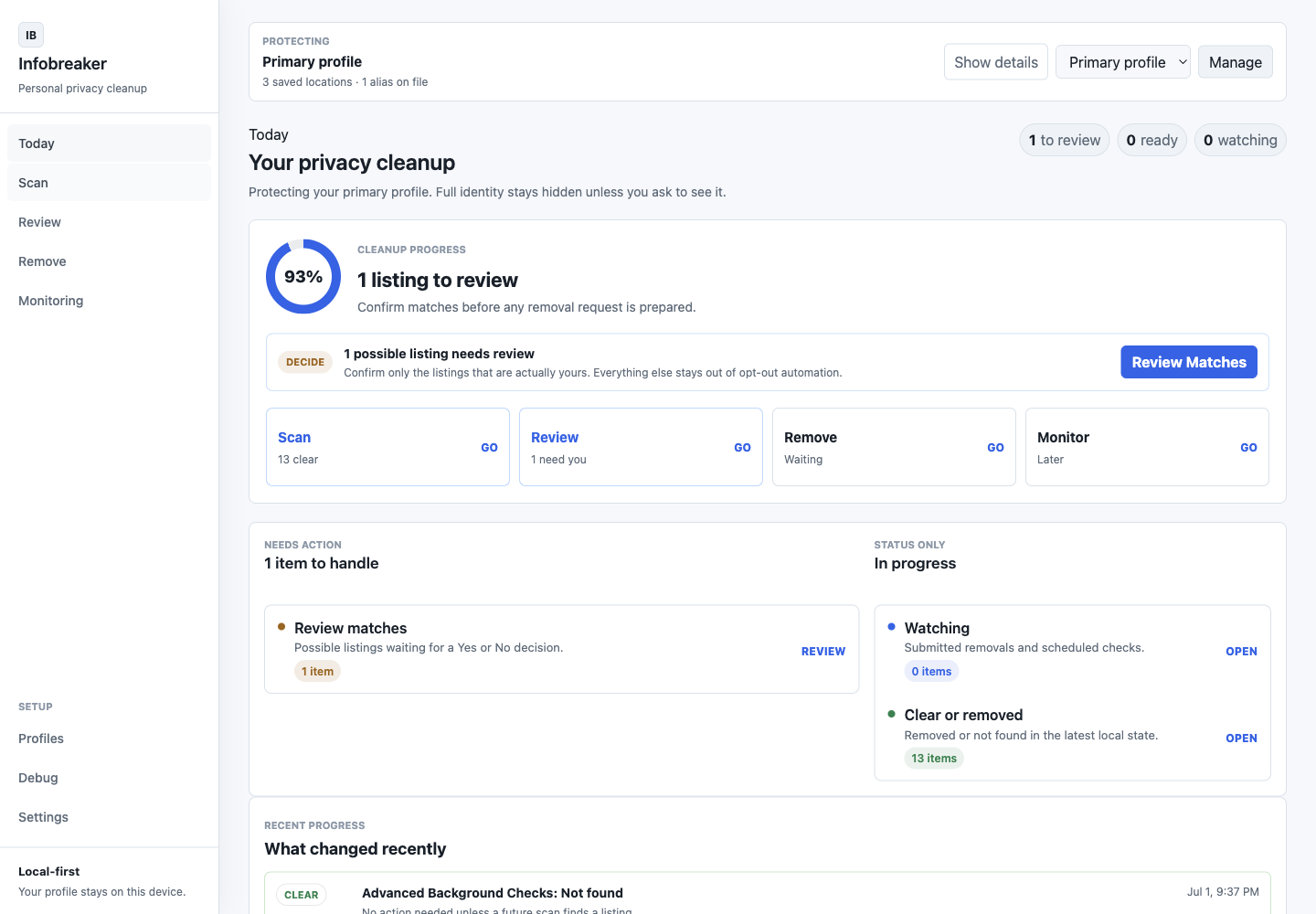 Infobreaker's Today view after a scan: review queue, watched removals, and proof-backed progress.
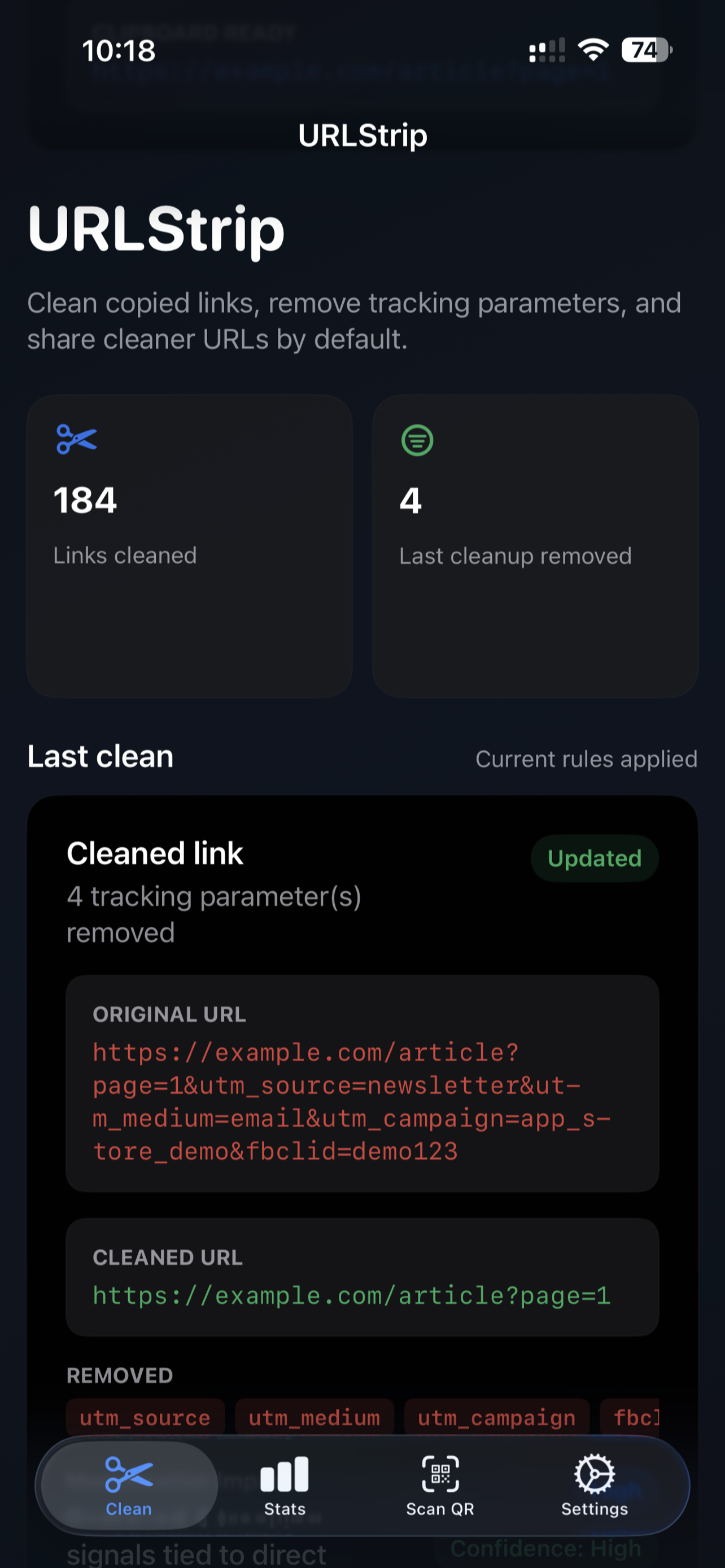 URLStrip's iPhone home view from the App Store release.
More on each product page: Infobreaker · Data broker removal guides · URLStrip screenshots
Built by Jim O'Gorman.
Jim O'Gorman spent nearly two decades helping build Offensive Security, working across leadership, training, product, operations, and community as the company grew through two exits.
Tacita Labs is focused on creating software that helps reduce unnecessary data exposure without creating another account, dashboard, or place your information has to go. The idea is simple: solve the problem without creating another one.
Short answers to obvious questions.
What do the tools cost?
URLStrip is free to download and use. For Infobreaker: free to use for non-commercial use.
Do you collect my data?
No accounts, no cloud dashboards, no analytics on this site. URLStrip cleans links on-device. Infobreaker keeps your profile in an encrypted local vault; information leaves your device only when a scan or removal request goes directly from your machine to a broker's site, or when you choose to email us.
What does "public beta" mean for Infobreaker?
It works, and it is honest about its rough edges. Broker sites change constantly, some steps need your help (CAPTCHAs, email confirmations), and verified removals take weeks, not minutes. The Infobreaker page spells out exactly what to expect.
Where do I get help?
For Infobreaker, email infobreaker@tacitalabs.com. For URLStrip and everything else, email hello@tacitalabs.com or see the Support page.
Contact
For product questions, feedback, or general inquiries, reach out at hello@tacitalabs.com or follow Tacita Labs on X.